How To Link CSS to HTML
There are many ways to add CSS codes to HTML document. In this article, you will learn all possible methods to include CSS code to an HTML document.
Every browser comes with default style sheet which is immediately applied to the HTML page. There are three other ways to add style information to an HTML document. They are as follows.
1. Inline CSS
2. Internal CSS
3. External CSS
Let’s discuss each one of them in detail.
Inline CSS
The inline CSS codes are added directly to an HTML element. They are the closest to an HTML element and override other CSS rules.
Example of Inline CSS
<h1 style="background:black;color: red;font-size:18px ;">
This style of inline CSS was used in both HTML 4 and HTML 5. However, they are not recommended and a lot of inline CSS codes was deprecated in HTML 5 because we like to keep style information separate from the HTML. They are not practical if you have many CSS rules to apply.
Internal CSS
There is another way to add css rules to your web page. The internal CSS rules are applied by placing your code between the following section.
<head>
...
</head>
There is a special markup <style >…</style> to add internal css rules.
Example of internal CSS
<! DOCTYPE html>
<html>
    <head>
        <title>Internal CSS</title>
        <style type="text/css">
            h2 {
            background-color: lightgreen;
            }
        </style>
    </head>
    <body>
        <h2> Internal CSS </h2>
        <p>This is an example of internal CSS</p>
    </body>
</html>
Result of Internal CSS
The result of the above code is given below. You can see that the CSS code has changed the background color of heading to light green.
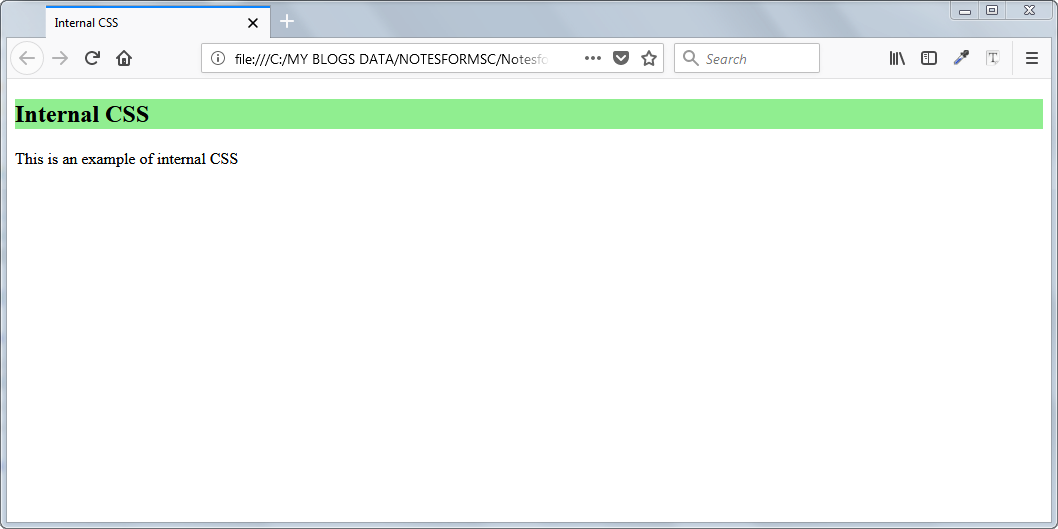
Note: In the style markup <style type=”text/css”> is not required in HTML 5. You can use <style> … </style> for internal css.
External CSS
The internal CSS rules are fine as long as fewer lines of style information is added to HTML document. The Internal CSS is faster because the codes are separate from HTML markup tags. But you have to write the codes for each and every page separately and often repeat the same code all over again for a new page.
The real problem starts when the size of the style rules grows when you keep adding new elements or pages. The external CSS is the solution to this problem. You create a new CSS file and keep all your rules in this file. Link CSS file back to the HTML document. You can use the same linked CSS file for multiple pages.
Example of External Link CSS
In this example, you will create an external CSS file, add style codes to the CSS file and finally link CSS to an HTML page. You need a text editor such as Notepad or Notepad++, Sublime Text, etc.
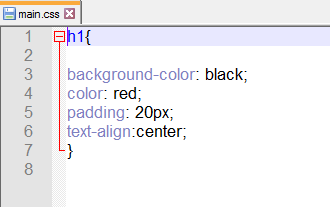
Step 1: create a new css file with extension .css . Let’s call this file as main.css.

Step 2: Insert the following code to the file – main.css.
h1 {
    background-color: black;
    color: red;
    padding: 20px;
    text-align: center;
}
Step 3: Create a new file called Index.html. Open with notepad or a text editor in your computer like Notepad++. Link the external CSS – main.css file to HTML using the code given below.
<! DOCTYPE html>
    <html>
    <head>
            <title>External CSS</title>
            <!-- linking external css file -->
            <link rel="stylesheet" type="text/css" href="main.css">
    </head>
    <body>
        <h1>External CSS Example</h1>
        <hr>
        <p>This is an example of external css file linked to HTML webpage. </p>
    </body>
</html>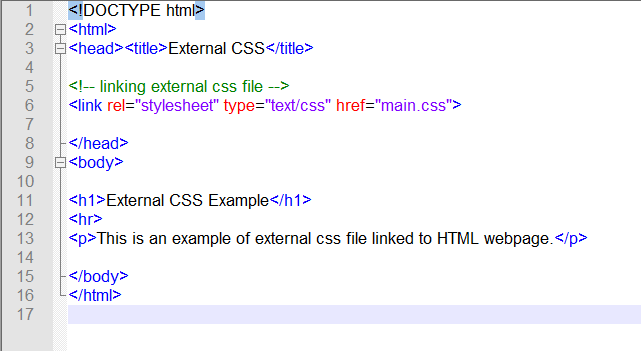
Open the index.html in a browser window.
Result of External CSS
The result of the above code is given below. The external CSS file linked to HTML loads and render the CSS style rules effectively.
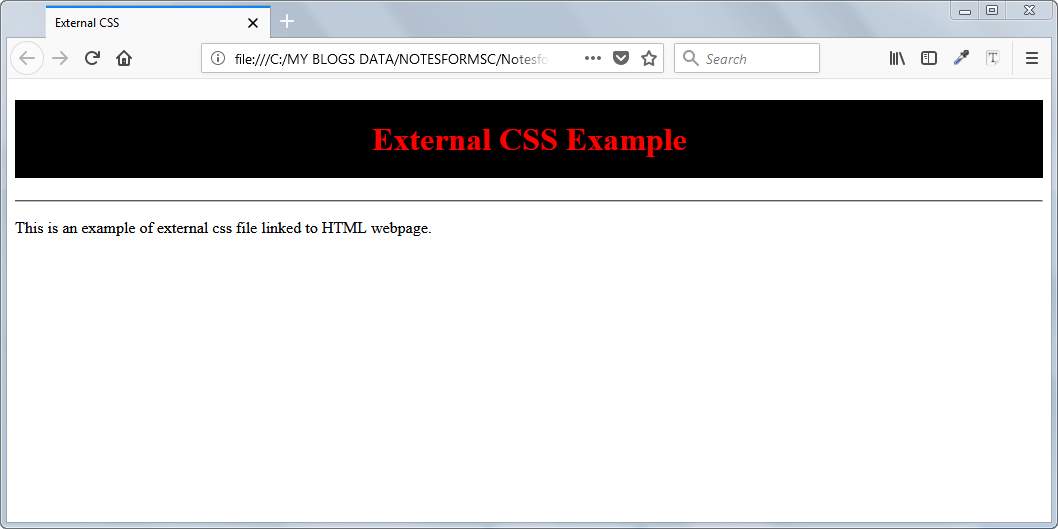
Link CSS file is relatively slower than other CSS methods. But, there are other advantages like keeping style elements in a single location separate from HTML that compensate for the speed.
CSS Introduction
CSS stands for Cascading style sheet is a technology to render style to your web page. It can change color, font, background, alignment and many other properties of an HTML page. The HTML only display the content for human readers.The HTML elements contain the following contents.
- Text
- Image
- Video
- Audio
- Links
The HTML is not enough to create a beautiful web-page because there is not much there to style the web document. You could change background color, or align the text : left, center or right and a few other style information.This was when people used HTML 4.0 standard. By the time HTML 5 become popular all style information was transferred to CSS.
The CSS contains a set of rules to specify the style of HTML elements. You can change many properties of an HTML element like text, color, background, etc. Some of the properties are given below.
- Background
- Typography
- Color
- Border
- Size
- Page layout
and many more.
CSS Introduction – What are CSS rules?
The CSS rule is very simple to remember. A CSS rule has two parts
- Selectors
- Declarations
The CSS selector is an HTML element whose style information we are going to change. The CSS selector is enclosed within curly braces. Remember that there are many types of CSS Selectors depending on how complex your web site is. A single rule applies to more than one selector if you wish. The CSS declaration is made of a property and a value pair and ends with a semi-colon.
For example
h2 {
color: red;
}
In the above example, the element h2 is a selector – an HTML element whose text color is changed to red. The color: red; pair is called the declaration where color is a property and value is red. Note than the declaration ends with a semi-colon.
How to apply CSS rules?
There are three ways to apply CSS rules and you can apply them depending on the complexity of HTML page or website.
- Inline – CSS rules apply within HTML element and has highest priority.
- Internal – CSS rules limited to an HTML page.
- External – CSS file is linked to HTML document or website.
CSS Notes – Concepts, Examples, and Exam-Ready Revision
Cascading Style Sheet (CSS) is a core subject in Computer Science and Information Technology (IT) curricula, as well as in competitive examinations such as GATE, UGC NET, and university semester exams.
On this page, you will find structured resources to learn CSS concepts, along with clear explanations, examples and exam-ready revision notes.
What Will You Learn
On this page you will find:
- CSS concepts explained clearly and systematically
- Exam-oriented explanations supported with relevant examples
- MCQ-based practice posts to test your understanding
- Detailed articles along with exam-ready revision PDFs
This Page is for:
- Computer science and IT students
- GATE and other competitive exam aspirants
- University exam preparation
- Self learners who want to revise data structures knowledge.
Topic Sections
Find CSS topics here.